A Smarter, More Integrated Tax Experience
Tax preparation should be organized, secure, and strategically aligned with your broader financial or business plans.
Our new Tax Portal, delivered through Karbon For Clients, provides a modern tax experience designed to support both precise compliance and proactive planning. It replaces our prior tax system and operates separately from — but in coordination with — your Wealth Portal.
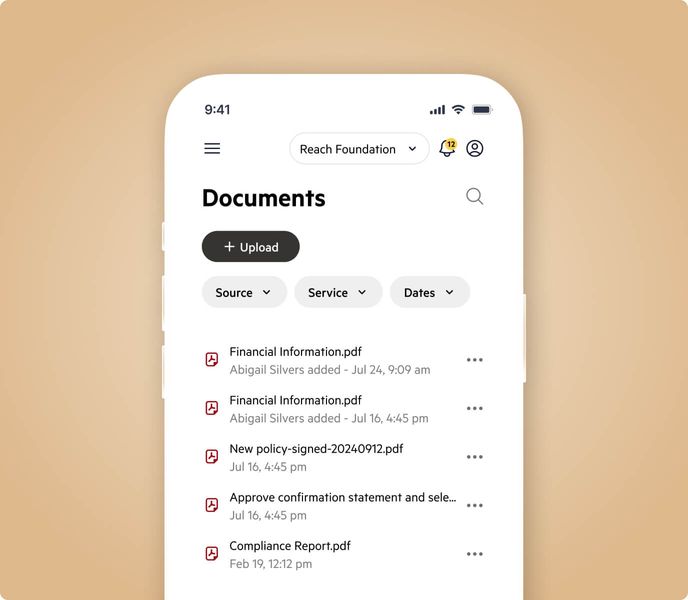
All tax documents should now be uploaded exclusively to the Tax Portal. The portal supports all returns you may be responsible for, including individual, family member returns, trust returns, and business returns.
Access is by invitation. When your return is ready to begin, you will receive a secure email prompting you to activate your account.
Built for More Than Filing
Within the portal, you’ll complete your annual tax organizer through an intelligent system that adapts to your prior return and current-year changes — helping ensure accuracy, identify planning considerations, and reduce unnecessary back-and-forth.
Secure messaging, document exchange, status tracking, and electronic signatures are centralized in one streamlined environment.
What You Can Expect
-
Secure document uploads from desktop or mobile
- Take photos of paper documents directly within the mobile app
-
A personalized, adaptive tax organizer
-
Clear visibility into outstanding items and status of work items
-
Confidential communication with your tax team
-
Secure electronic review and signature
The result is greater clarity, efficiency, and coordination across your tax, wealth, and business strategy.
Important: If uploading paper documents, photos must be taken directly through the Tax Portal mobile app. Images taken with your regular phone camera and uploaded separately are often not high-quality or high-resolution enough to be properly processed.
Access the Tax Portal
Access to the Tax Portal is by invitation. When your return is ready to begin, you will receive a secure email prompting you to activate your account.
Once activated, you can find the link by visiting our Client Center. You can also download the mobile app or watch a brief 90-second overview on Karbon for Clients here.
Ready to Proceed
Once your documents and organizer are complete, select “Done Uploading.” Please do not select Done Uploading until all information has been provided. We’ll take it from there.